



Claude helps people work faster and get more value from their information. Built by Anthropic Claude AI can summarise documents, answer questions, create content and support everyday tasks with ease.
Claude stands out for its ability to understand and process large amounts of information, turning complex content into clear, actionable outputs.

Create blogs, reports, emails, and more in seconds. Claude AI helps turn ideas into structured, high-quality content quickly.

Claude can summarise, extract key points, and simplify complex information.

Ask questions, explore topics, and break down complex ideas. Claude helps make sense of information faster.

Automate everyday tasks, draft responses, and support your workflow with simple, conversational prompts.
Through API access and flexible model integration, teams can embed Claude into existing systems, build internal tools, and customise how it’s used across the business.
Enterprise controls allow for greater oversight, security, and consistency.
Integrate via Claude API into existing tools. From collaboration platforms and knowledge bases to CRMs and data systems, embedding AI directly into everyday workflows.
Work across large datasets and documents without losing context.
Can be tailored for prompt design, and system-level integrations to support specific use cases and workflows.
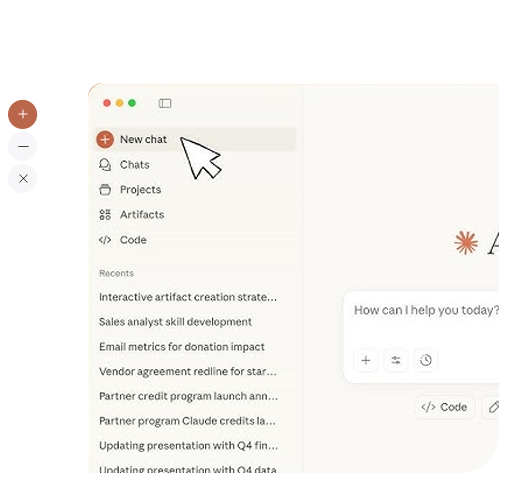

Use Haiku when you need fast responses and high volume.
Best for simple tasks like quick summaries, chat responses, or automating repetitive workflows.
Use Sonnet for most tasks. It balances speed, quality, and cost, making it ideal for content creation, document analysis, and general business workflows.
Use Opus when the task is complex or high-stakes.Best for deep analysis, detailed reasoning, and more advanced problem-solving where accuracy matters most.
Through API access and flexible model integration, teams can embed Claude into existing systems, build internal tools, and customise how it’s used across the business.

Enterprise controls allow for greater oversight, security, and consistency.

Enterprise controls allow for greater oversight, security, and consistency.

Integrate via Claude API into existing tools. From collaboration platforms and knowledge bases to CRMs and data systems, embedding AI directly into everyday workflows.
Work across large datasets and documents without losing context.
Claude offers a family of AI models designed for different business needs. Whether you're looking for fast responses at scale, a balanced everyday assistant, or advanced reasoning for complex work, each Claude model is built to help teams work smarter and get more value from AI.
Use Haiku when you need fast responses and high volume.Best for simple tasks like quick summaries, chat responses, or automating repetitive workflows.
Use Sonnet for most tasks. It balances speed, quality, and cost, making it ideal for content creation, document analysis, and general business workflows.
Use Opus when the task is complex or high-stakes.Best for deep analysis, detailed reasoning, and more advanced problem-solving where accuracy matters most.
Explore how today’s leading AI tools stack up across reasoning, creativity, usability, integrations, and overall performance. Whether you’re choosing an AI assistant for business, study, or everyday productivity, this comparison helps you understand the strengths of each platform at a glance.





The combination of Claude models and GitLab's platform means we're getting more capable AI without changing how we work or how it is governed.

The vast majority of what the agent does is code-based, and Claude is by far the best model available.

Claude enables us to build AI experiences that feel genuinely useful and reliable.
Claude's writing quality and reasoning capabilities are exceptional.

Claude is designed with enterprise-grade security and controls, helping organisations manage data, access, and outputs with confidence.
Common use cases include document analysis, content creation, knowledge management, workflow automation, and decision support.
Claude can be tailored through prompts, APIs, and integrations to fit specific workflows, tools, and business needs.
Most teams can start using Claude effectively within days, with proficiency improving quickly through regular use and iteration.

