



Canva AI makes it easier for non-designers and enterprise teams to produce professional content with minimal effort. Rather than using separate AI tools for designs, presentations, marketing content, videos, and documents, Canva brings the entire creative workflow together into a single experience for teams, marketers, and enterprise users.
Get started
With Canva AI 2.0, Magic Studio, and Canva’s broader creative operating system, Canva is evolving into a unified AI platform that supports the full content workflow from idea to finished asset. A key part of that ecosystem is Leonardo.ai, which Canva acquired to strengthen its advanced image and video generation capabilities.

Generates complete, ready-to-use designs from a text description, which you can then customize with the familiar drag-and-drop editor.

Powered by Leonardo.ai's Phoenix model, it generates images in styles like Cinematic, Illustration, and Bokeh from a text prompt.

AI writing assistant built directly into Canva for generating and editing copy inside your designs — captions, headlines, body text, etc.

Takes a still photo and adds subtle, natural movement to it, turning a product shot or portrait into a short video clip without any filming or editing
Expanding Canva beyond simple template design and into advanced AI powered visual production, Leonardo.ai enables users to create image and video, original creative assets, marketing visuals, animations, and branded content directly inside Canva without the need for separate editing platforms. Despite mainstream media speculation that it had been benched, Leonardo.ai has now been integrated into Canva’s broader AI ecosystem.
Generate photorealistic images, illustrations, campaign assets and concepts using advanced AI image generation within Canva. Teams can quickly create custom visuals for presentations, advertising, social media, websites, and internal communications without relying on stock imagery or external creative tools creating fit-for-use images using AI.
Create AI-assisted videos, animations, and motion assets directly within Canva, helping teams rapidly produce promotional videos, social content, explainers, internal communications, and multimedia assets. Users can create advanced video assets using simple prompts and editable templates and refine using simple text instructions.
Maintain brand consistency and stylistic control across presentations, campaigns, documents and brand assets with AI style generation and editing tools. Canva AI can help apply brand style, adhere to brand guidelines including colours, fonts and photographic direction across large volumes of content making enterprise wide creative workflows faster and more scalable.
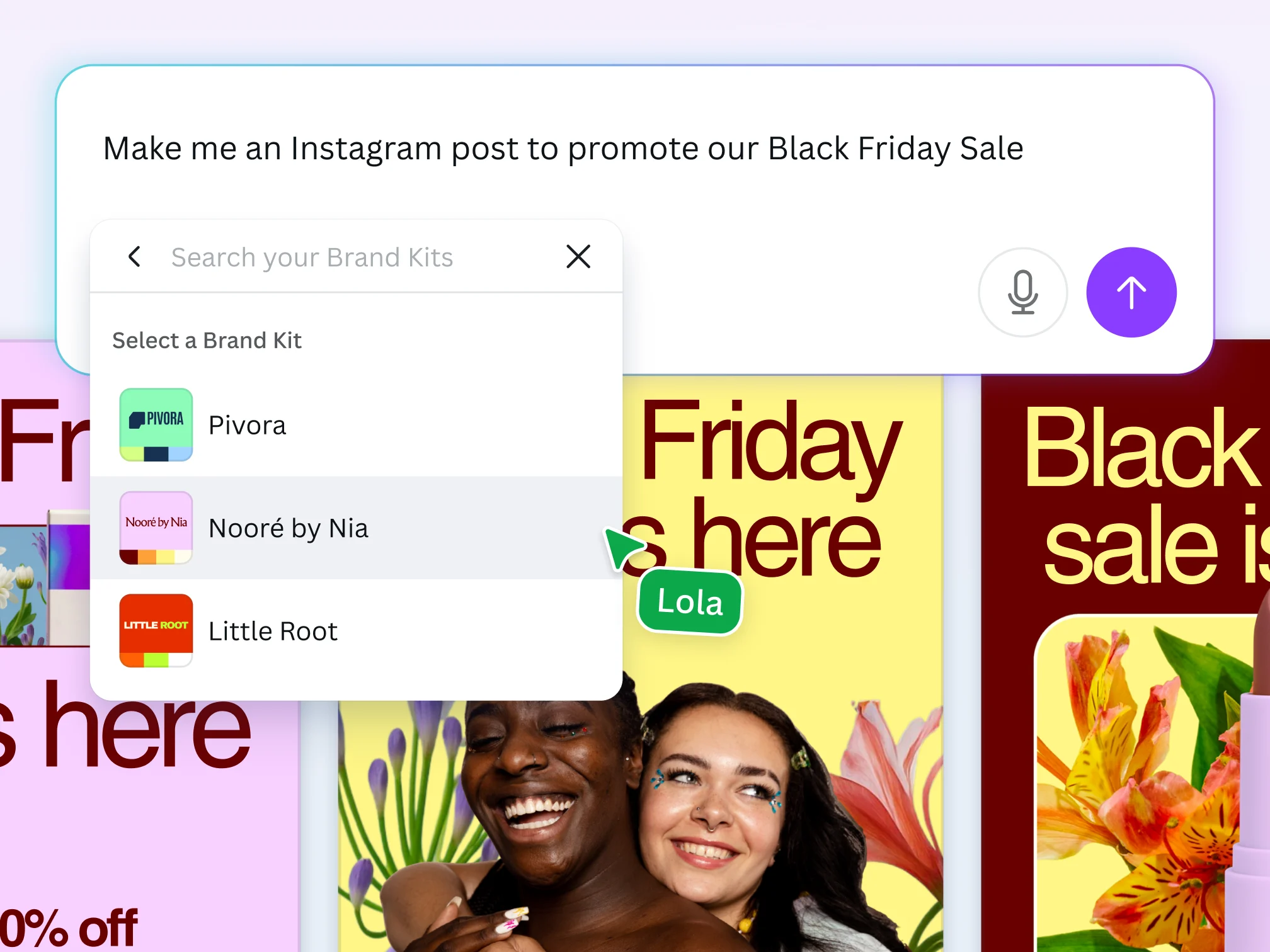
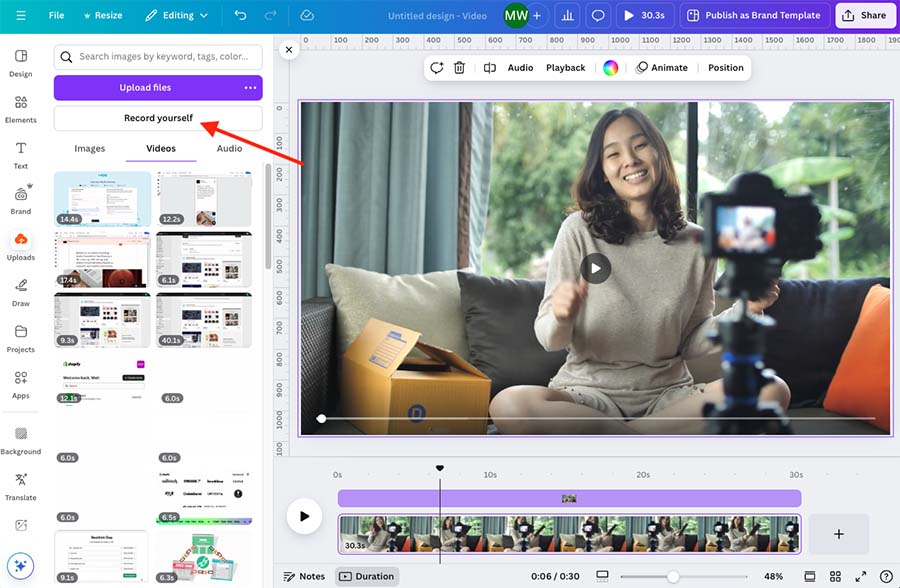
Simplify production by combining AI generation, editing, animation and templates into a single accessible workflow within Canva. Rather than requiring specialist video production software or standalone AI platforms, Canva enables teams to create branded videos, social content, explainers, eLearning, presentations and multimedia assets directly within Canva. These tools help businesses scale video production faster, reduce creative bottlenecks and minimise costly production.
Turn a creative brief, prompt or existing content into videos using Canva’s magic video. Teams can quickly create video, social media clips, assets for campaigns, presentation content with minimal editing experience using text commands. Useful for creative teams and in-house studios as well as general marketing, social and communications teams.
Create motion graphics, transitions, animation with Canva’s expanding creative ecosystem of tools. Teams can produce more engaging visual content while reducing production time and creative complexity, simply select from preset options or use Canva’s AI assistant for support.
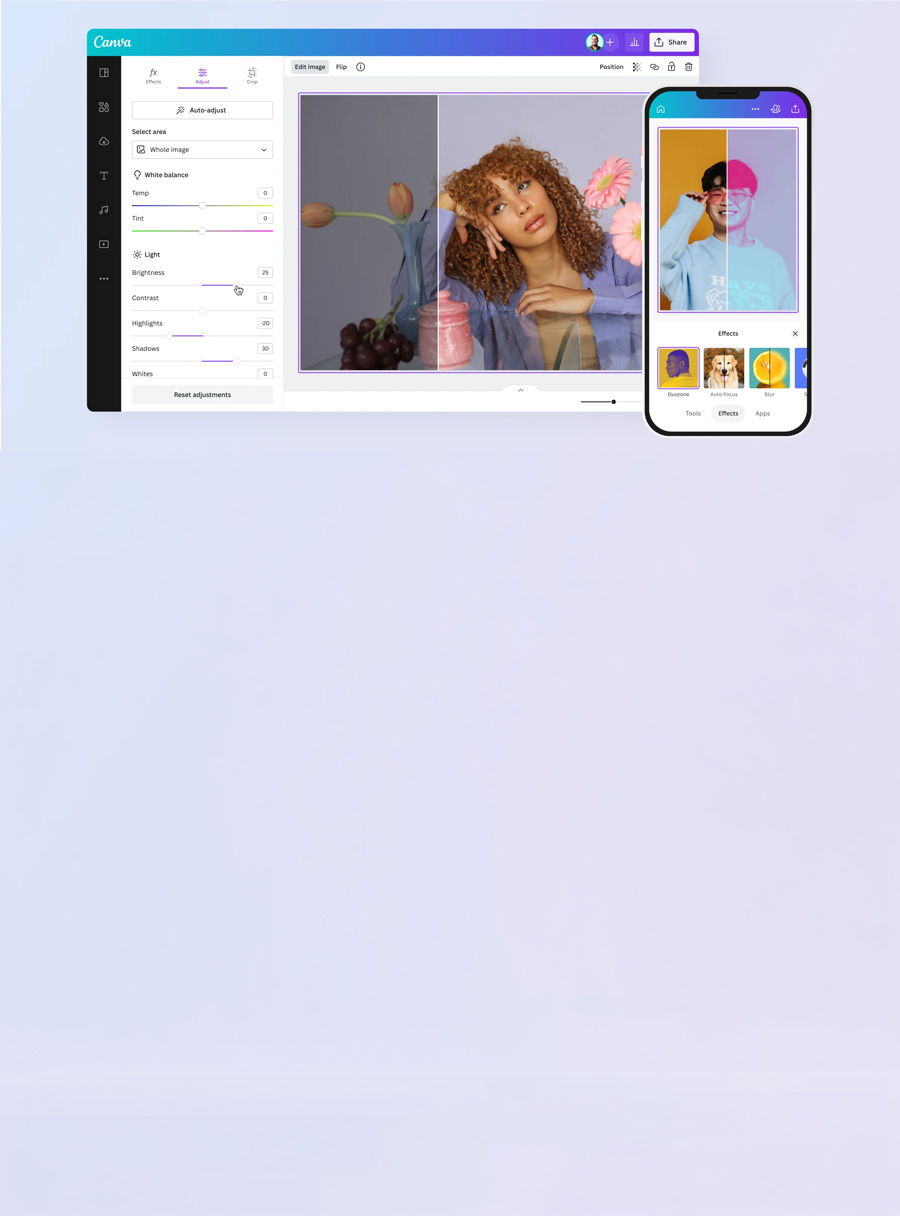
Canva’s AI editing tools simplify image production and reduce the need for complex editing software or specialist design skills. By automating traditionally time-consuming editing tasks, Canva enables businesses to produce and update content faster while maintaining visual quality, consistency, and brand standards. Rather than relying on multiple standalone editing tools, Canva centralises AI-powered editing, resizing, generation, and visual enhancement into one workflow.
Instantly remove image backgrounds for cleaner assets, faster editing, and easier content repurposing. Useful for helping to edit product shots, profile images, campaign visuals, and branded creative without manual editing.
Edit or replace parts of an image by describing the changes you want in text. Teams can quickly adapt creative assets, update campaign visuals, modify products, or localise content variations without requiring complex manual design work.
Remove unwanted objects, people, logos, clutter, or visual elements from images in one click. What would have once taken designers hours to edit can now take seconds using Canva’s Magic Eraser tool.
Extend images beyond their original borders to fit different layouts, dimensions, formats, and campaign requirements automatically. Ideal for images that may have been cropped, not fit for purpose or to create space to accommodate advertising headlines and copy.
Canva combines AI copywriting and content tools into its creative workflow allowing teams to generate both visual and copy requirements in a single platform. Canva’s tools are designed to support campaign copy, internal communications, brainstorming and presentations.
Generate captions, documents, emails, marketing copy, and written content using AI assistance. Teams can speed up brainstorming, drafting, and campaign production workflows. Use images as prompts and allow Canva AI to do the work.
Save time on transcribing and extract editable text directly from images, screenshots, presentations, and visual content making it easier to repurpose and update information across designs.
Scale content production across multiple channels, formats and languages by reducing manual repetitive work with the use of Canva's productivity tools. By automating resizing, formatting and localisation tasks Canva enables businesses to create and distribute content faster, more consistently and adapt global campaigns for local audiences.
Automatically resize creative assets for different platforms and formats across social media, presentations, advertising, websites, and internal communications. Production roll-out is made less complicated and faster by reducing manual workload of resizing based on different specs.
Turn global campaigns into local assets. Translate presentations, social posts and creative assets into multiple languages to support internal campaigns, multilingual content production, global teams and reach greater audiences.
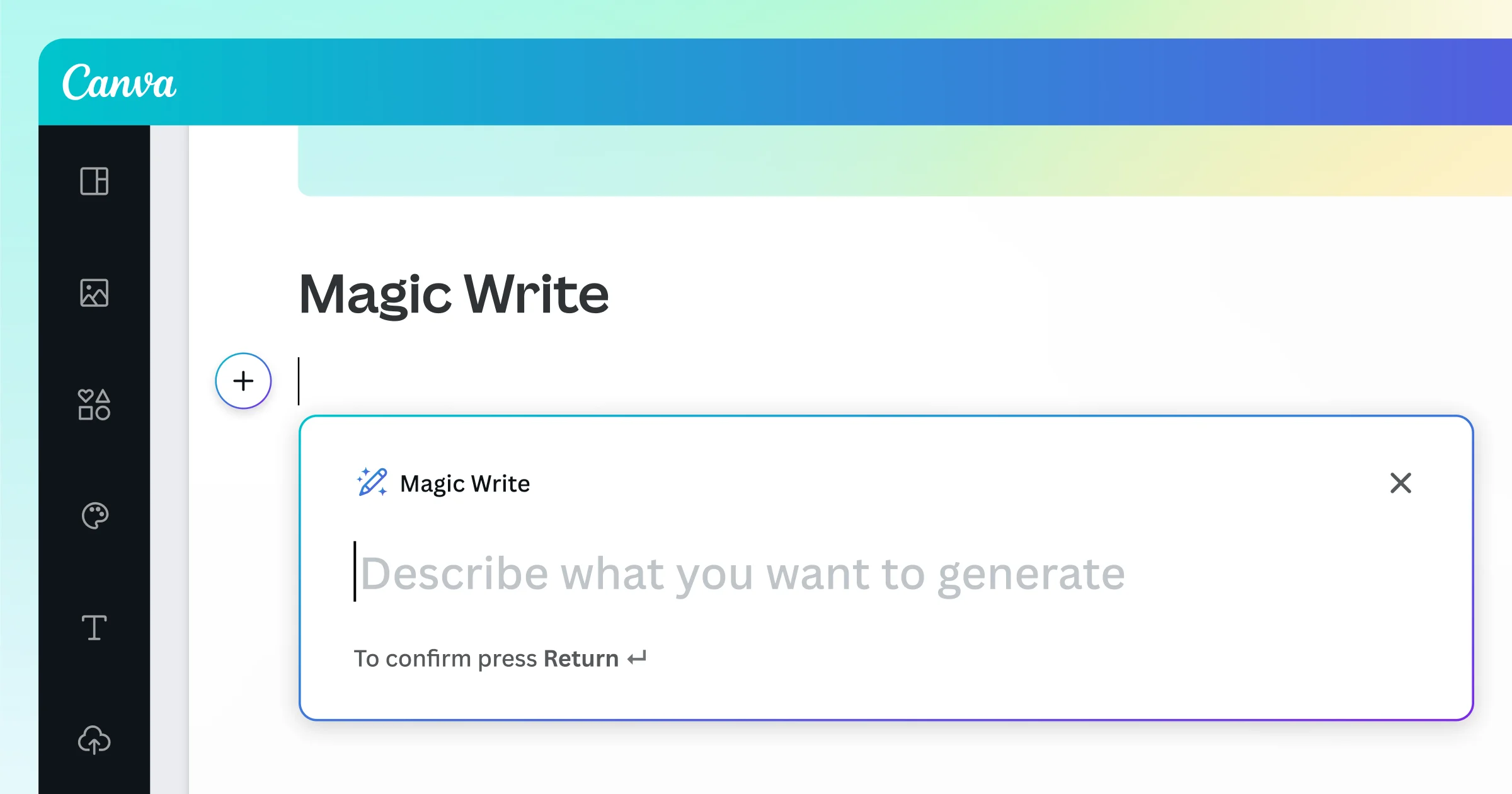
Canva stands out by combining AI-powered design, writing, editing, presentations, and productivity tools into one simplified creative workflow.
For many everyday business and marketing tasks, Canva can reduce reliance on more complex design tools, though specialist creative teams may still use advanced software for detailed design work.
Marketing, sales, communications, HR, education, and operational teams can all benefit from Canva’s AI-assisted creative workflows.
Yes. Canva supports collaboration, brand management, templates, workflow consistency, and scalable content creation across enterprise environments.
Canva is strongest for fast, accessible content creation and workflow simplicity. Teams requiring highly advanced professional design, animation, or production-grade video editing may still prefer specialist creative tools.



.png)





.jpeg)